
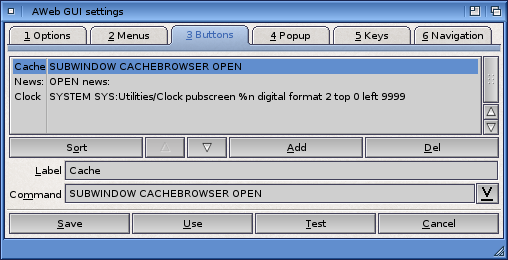
Select the button you want to modify from the listview. Use the Add button to add a new blank button. Use the Del button to remove the selected button.
| OPEN url | This makes the button a simple "fastlink" button. When you click it, the URL is shown. |
| RUN path/script arguments | When you click the button, the Arexx script is started. |
| SYSTEM path/command arguments | When you click the button, the shell command is started. |
In the command string, you can use the following parameter specifiers:
| %u | Address currently displayed in the browser window. |
|---|---|
| %n | screen name that AWeb is running on. |
| %i | ID of frame that has focus. |
| %t | title of the document, as shown in the window title bar. |
| %c | configuration name. |
The Sort button will sort the buttons alphabetically by their label.
 Menus
Menus  Settings requesters
  Popup
Popup